
Chapter 2: Running and Administering RabbitMQ
Server management, permissions, usage statistics, and troubleshooting
Server Management #
A RabbitMQ node is an Erlang node running an Erlang application.
In other words: an Erlang node is a running instance of an Erlang application.
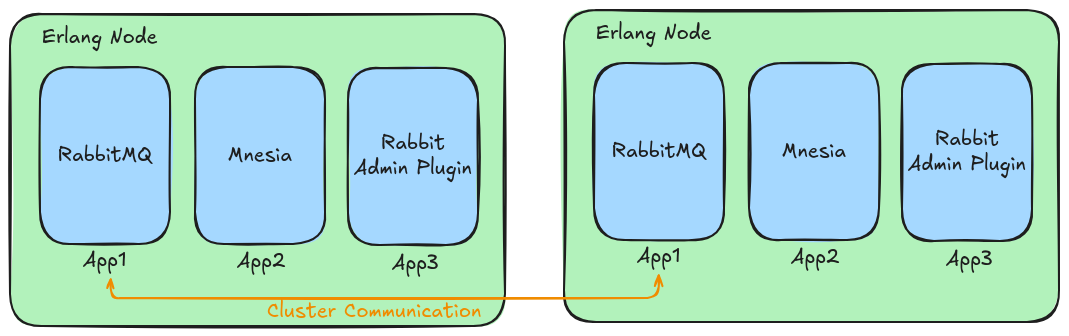
Starting Nodes #
How RabbitMQ nodes are started depends on the package type used to install Rabbit:
Stopping Nodes #
To stop a node, run:
rabbitmqctl shutdownor to shutdown a different/specific node:
rabbitmqctl shutdown [email protected]Stopping Just the App #
To stop the app instead of both the app and node, run:
rabbitmqctl stop_appThis will stop the running application and keep the Erlang node running.
RabbitMQ Configuration Files #
For information on how to configure RabbitMQ see RabbitMQ: Configuration File(s)
Permissions #
Managing Users #
Creating Users #
To create a user, run:
rabbitmqctl add_user <username> <password>Deleting Users #
To delete or remove a user, run:
rabbitmqctl delete_user <username>Listing Users #
To list existing users, run:
rabbitmqctl list_usersChanging User Password #
To change an existing user's password, run:
rabbitmqctl change_password <username> <new-password>Permissions System #
RabbitMQ's permission system uses an access control list (ACL) permissions system.
With this system, users could be granted with a read, write, or configure permission to a resource such as an exchange, queue, bindings, etc., or operations.
- Read: Any operation related to consuming messages (including purging an entire queue).
- Write: Publishing messages
- Configure: Creation and deletion of queues and exchanges.
An access control entry consists of four () parts:
- The user being granted access
- The vhost to which the permissions apply.
- The combination of read/write/configure permissions to grant.
- The permission scope
To create an access control entry, run:
rabbitmqctl set_permissions -p <vhost-name> <username> <configure-permissions> <write-permissions> <read-permissions>To remove all of a user's permissions on any vhost, run:
rabbitmqctl clear_permissions -p <vhost-name> <username>